---
title: "Networking"
description: "How Corridor components interact with each other, with a network topology diagram and a request sequence diagram."
---
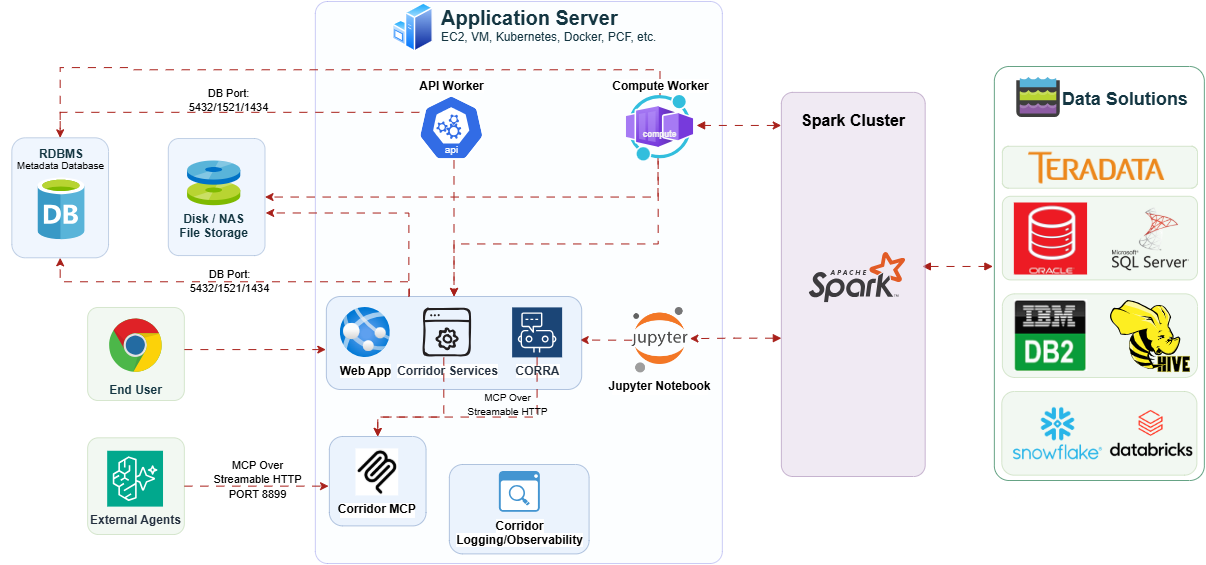
This page describes how the components interact with each other.
**From Web Application Server and API - Celery Worker:**
- To **[File Management](/technology/installation/components/file-management-setup/)**: for file read/write operations
- To **[Metadata Database](/technology/installation/components/metadata-database-setup/)**: for metadata read/write operations
**From Spark - Celery worker:**
- To **submit Spark Jobs**: to submit Spark jobs based on the task queue
**From Jupyter Notebook:**
- To **API**: for metadata access
- To **Web Application**: for authentication (if [internal authentication](/technology/installation/components/authentication-setup/internal/) is used)
- To **submit Spark Jobs**: to submit Spark jobs based on the task queue
**From External Agents:**
- To **[Corridor MCP](/technology/ai/installing-corridor-mcp/)**: over MCP streamable HTTP on port 8899, for tool access to Corridor
A typical network topology for a Corridor installation.
## Sequence Diagram
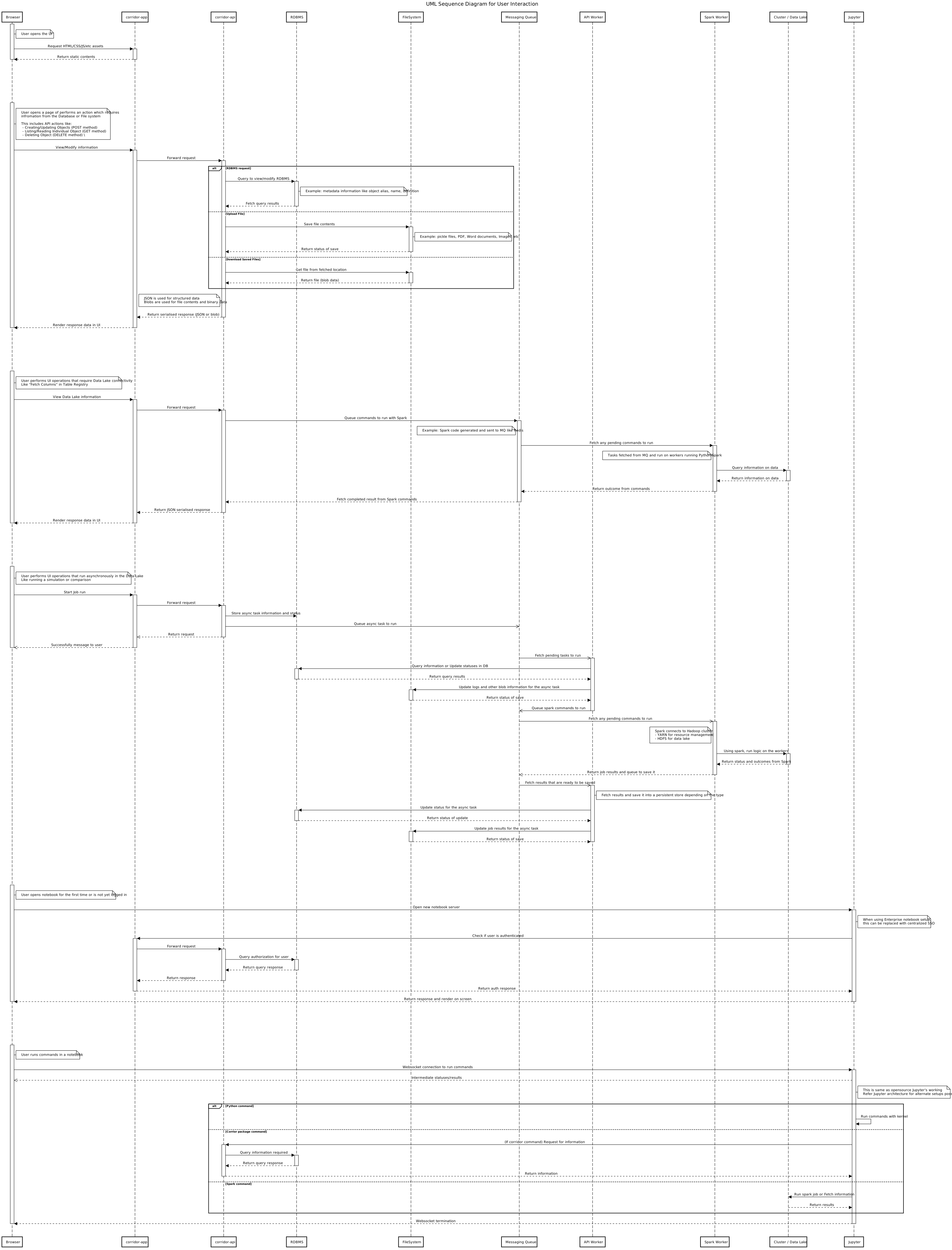
The interaction flow between the different components can be better understood with the sequence diagram below.
Sequence of interactions between components during a typical request.