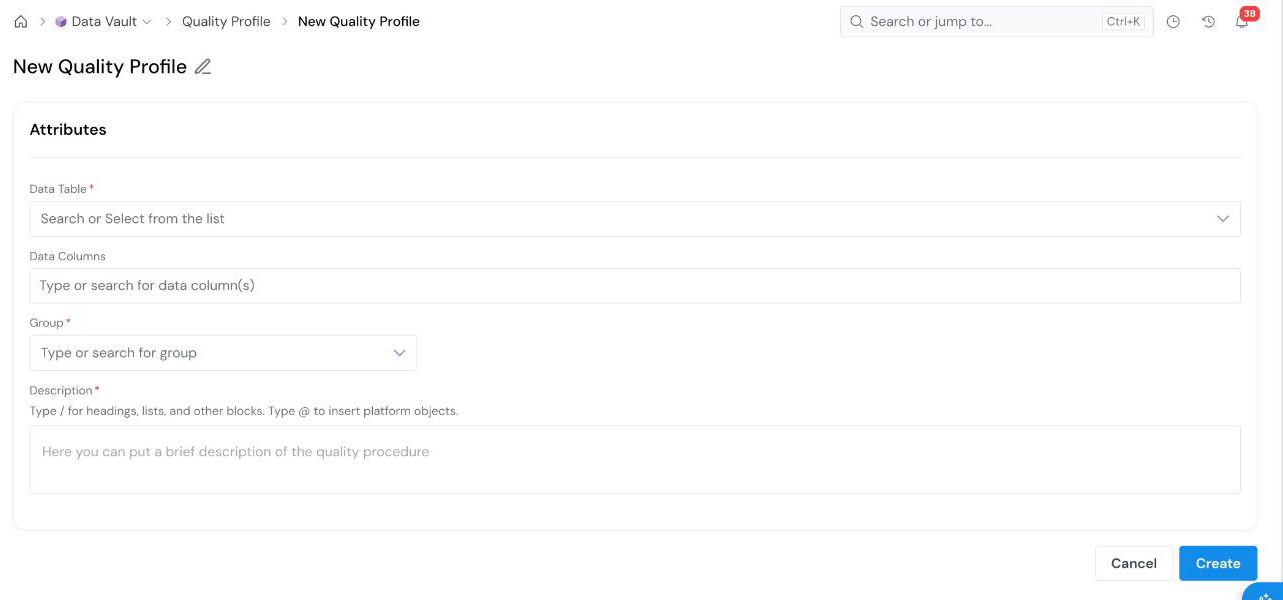
A Quality Profile runs an initial descriptive analysis on a registered DataTable. Open Data Vault → Quality Profile, click + New Quality Profile, pick the Data Table and, optionally, the Data Columns to profile, add a group and description, and create.
## What is it?
A **Quality Profile** (often shortened to **QP**) is a registered object in the **Data Vault** module. Use it to conduct an initial descriptive analysis on a registered DataTable and gain deeper insight into your data before you register Data Elements and Features on top of it.
A Quality Profile is a simulatable object: you run it as a job, and the reports selected for the Quality Profile object type in [Platform Settings](/user-guide/admin-guide/configure-platform-settings/) run by default. It can be shared with other users; see [Share an Object](/user-guide/how-tos/share-an-object/).
An administrator can hide the Quality Profile page for a role while leaving Data Table and Data Element visible; see [Configure Roles and Permissions](/user-guide/admin-guide/configure-roles/).
## Before you start
[Register the Table](/user-guide/how-tos/register-a-table/) you want to profile. A Quality Profile reads from a registered DataTable.
## How to Create