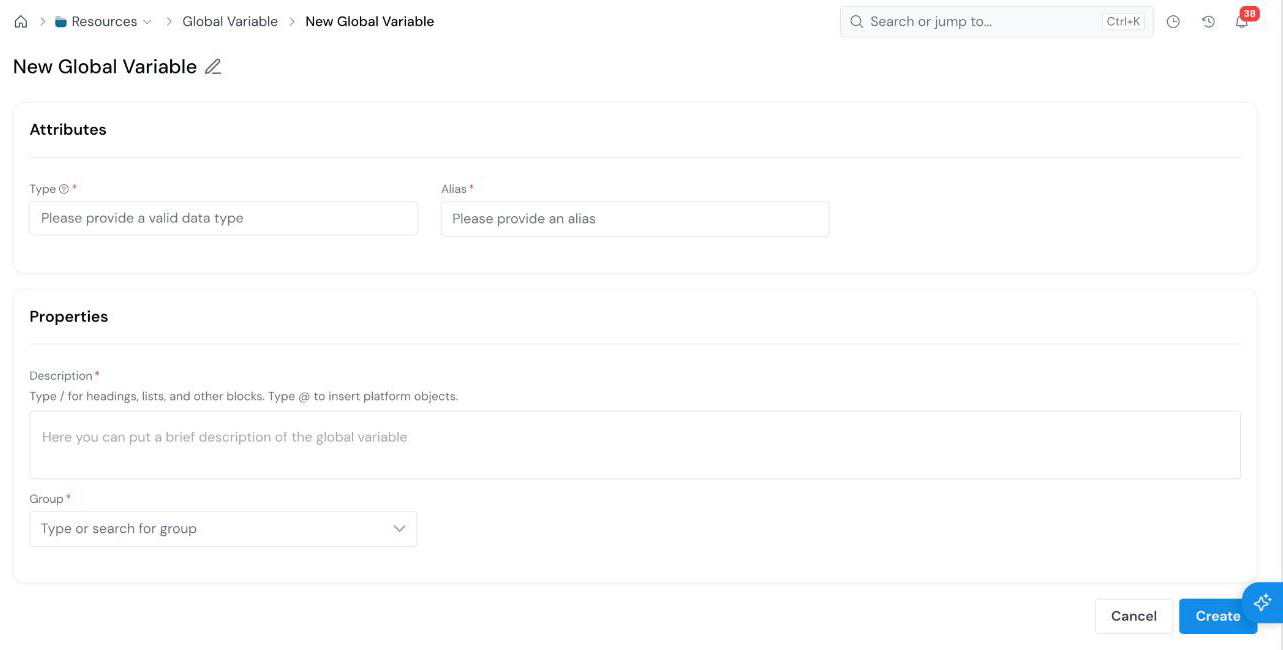
A Global Variable is a named, typed value that defines a Policy output. Open Resources → Global Variables, click + New Global Variable, set a Type and an Alias, add a description and group, and create.
## What is it?
A **Global Variable** (often shortened to **GV**) is a shared building block registered under **Resources**. Global Variables define the outputs a Policy assigns in an action rule.
For example, register a `Numerical` Global Variable with the alias `approved_amount`. A Policy rule can then assign it a value, and downstream blocks can read it. See [Register a Policy Decision Workflow](/user-guide/how-tos/register-policy-decision-workflow/).
When an object depends on a Global Variable, a job on that object asks you to pick it as a dependency; see [Run a Simulation](/user-guide/how-tos/run-a-simulation/).
Global Variables do not go through an approval workflow and cannot be shared with individual users; see [Share an Object](/user-guide/how-tos/share-an-object/).
## How to Register