A Product describes what you lend: the loan itself, plus the Configuration Parameters (such as loan amount, interest rate, and term) that Policies and Models read. Open Product Framework → Product, click + New Product, fill in Product Information, and create. Then open the product, click Edit, and add its configuration parameters.
## What is it?
A **Product** is a registered product definition, held in the **Product Framework** module. It carries two things:
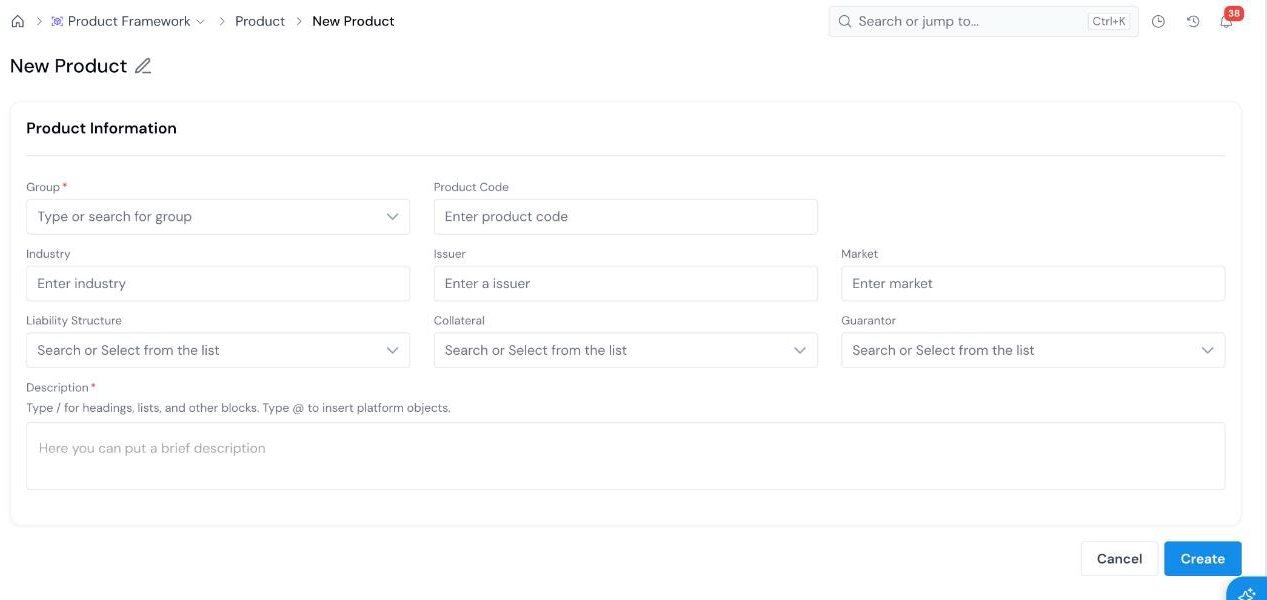
- **Product Information**: descriptive facts about the product, such as its code, industry, market, and liability structure.
- **Configuration Parameters**: the typed values the product exposes, such as a potential loan amount, an interest rate, and a term. Each parameter has an alias, so other objects can refer to it by name.
For example, a `36 Month Consumer Installment Loan` product can expose `potential_loan_amount`, a potential interest rate, and a product term. A job that depends on those values asks for them as **Product Type Configs** when you [run a simulation](/user-guide/how-tos/run-a-simulation/).
Products are not versioned and do not go through an approval workflow. They also cannot be shared with other users the way approvable objects can; see [Share an Object](/user-guide/how-tos/share-an-object/).
## How to Register
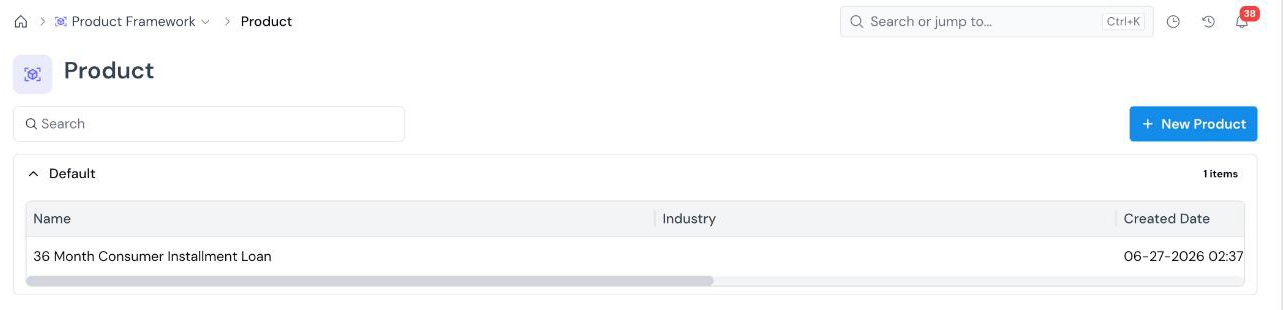 The registry lists products by **Group**, with **Name**, **Industry**, **Created Date**, and **Created By** columns. Use the search box to filter by name.
The form opens with an editable name at the top left (**New Product**). Click the pencil icon and type a descriptive name (for example, `36 Month Consumer Installment Loan`).
The registry lists products by **Group**, with **Name**, **Industry**, **Created Date**, and **Created By** columns. Use the search box to filter by name.
The form opens with an editable name at the top left (**New Product**). Click the pencil icon and type a descriptive name (for example, `36 Month Consumer Installment Loan`).
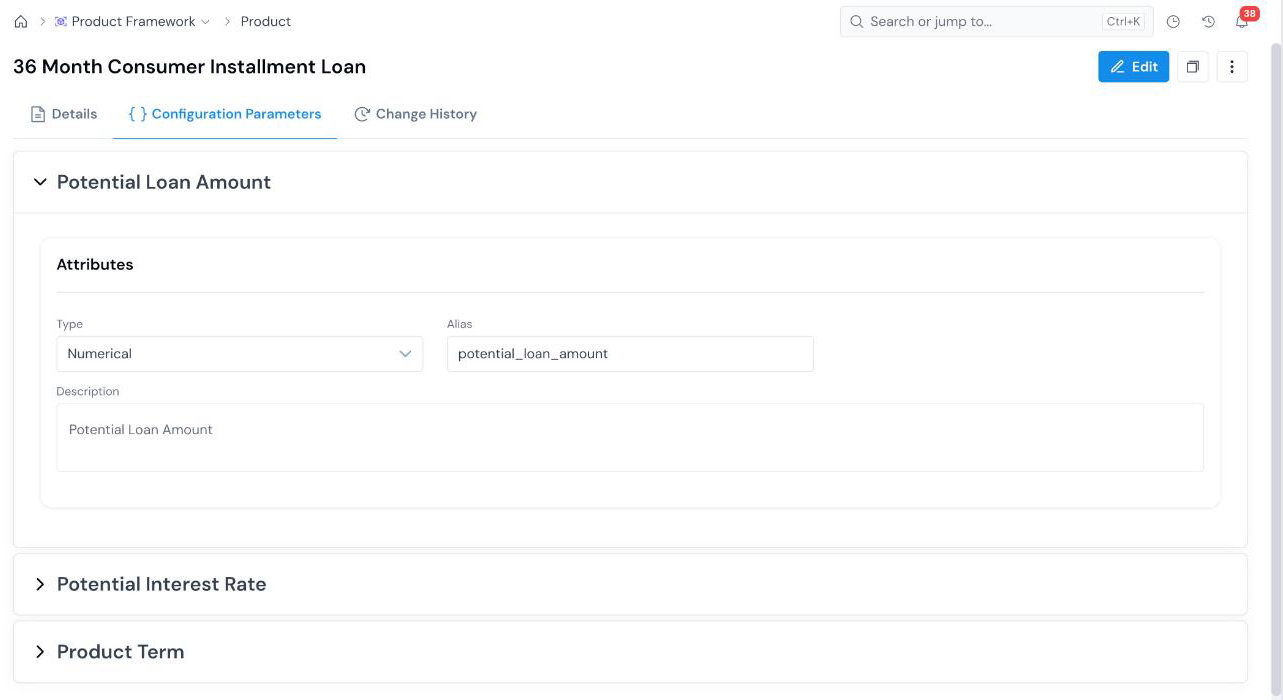 Each parameter is a collapsible panel named after the parameter, with three attributes: