

Releases
Latest Release
Ask AI
Highlights from the latest release of the Corridor platform.
This page covers the most recent release. For earlier releases, see Version History in the sidebar.
| Version | 1.26.08 |
|---|---|
| Release Date | August 7, 2026 |
Highlights
Section titled “Highlights”Welcome to the v1.26.08 release of Corridor Platforms. There are many updates in this version that we hope you’ll like. Some of the key highlights include:
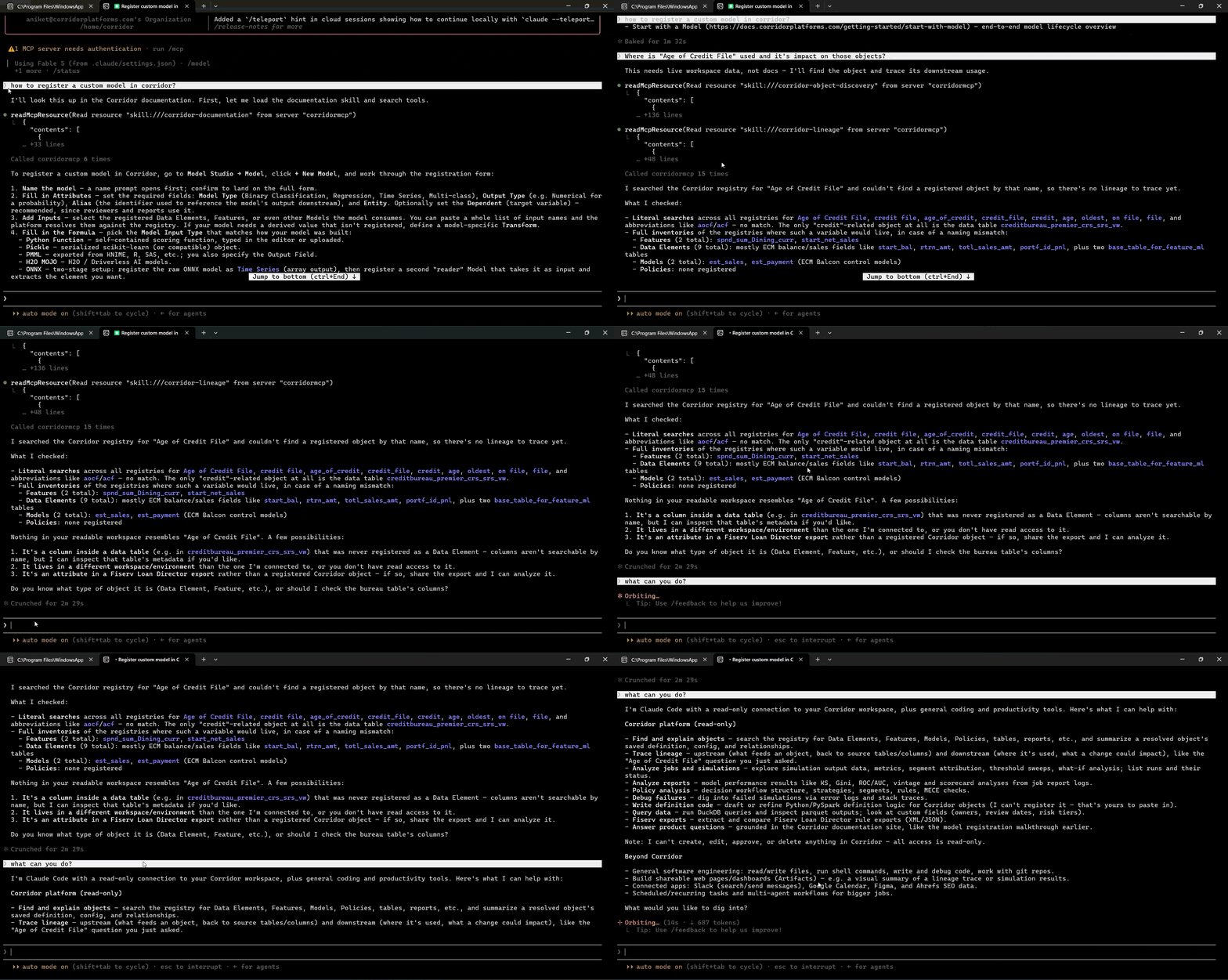
- Corridor MCP to connect external AI assistants and ask natural-language questions about platform information.
- Alerts for Monitoring Dashboards with email-like customizable content and recipient configuration.
- Retire Approved Objects for better governance and decommissioning workflows.
- Side-by-side simulation comparison to quickly spot what changed in results and dashboards, without needing a dedicated comparison job.
1. AI-Assisted Workflows
Section titled “1. AI-Assisted Workflows”1.1 Corridor MCP for Natural Language Platform Queries
Section titled “1.1 Corridor MCP for Natural Language Platform Queries”Corridor now supports an MCP server, so you can connect external AI assistants and ask natural-language questions about platform information.
What’s New:
- External AI Connection lets Corridor instances expose an MCP URL for supported AI hosts.
- Documentation Support lets you ask how-to and concept questions grounded in platform documentation.
- Object Discovery lets you ask what an object does, where it is used, what feeds into it, which models are due for review, and more.
2. Running Job
Section titled “2. Running Job”2.1 Delete Jobs Used as Source Jobs
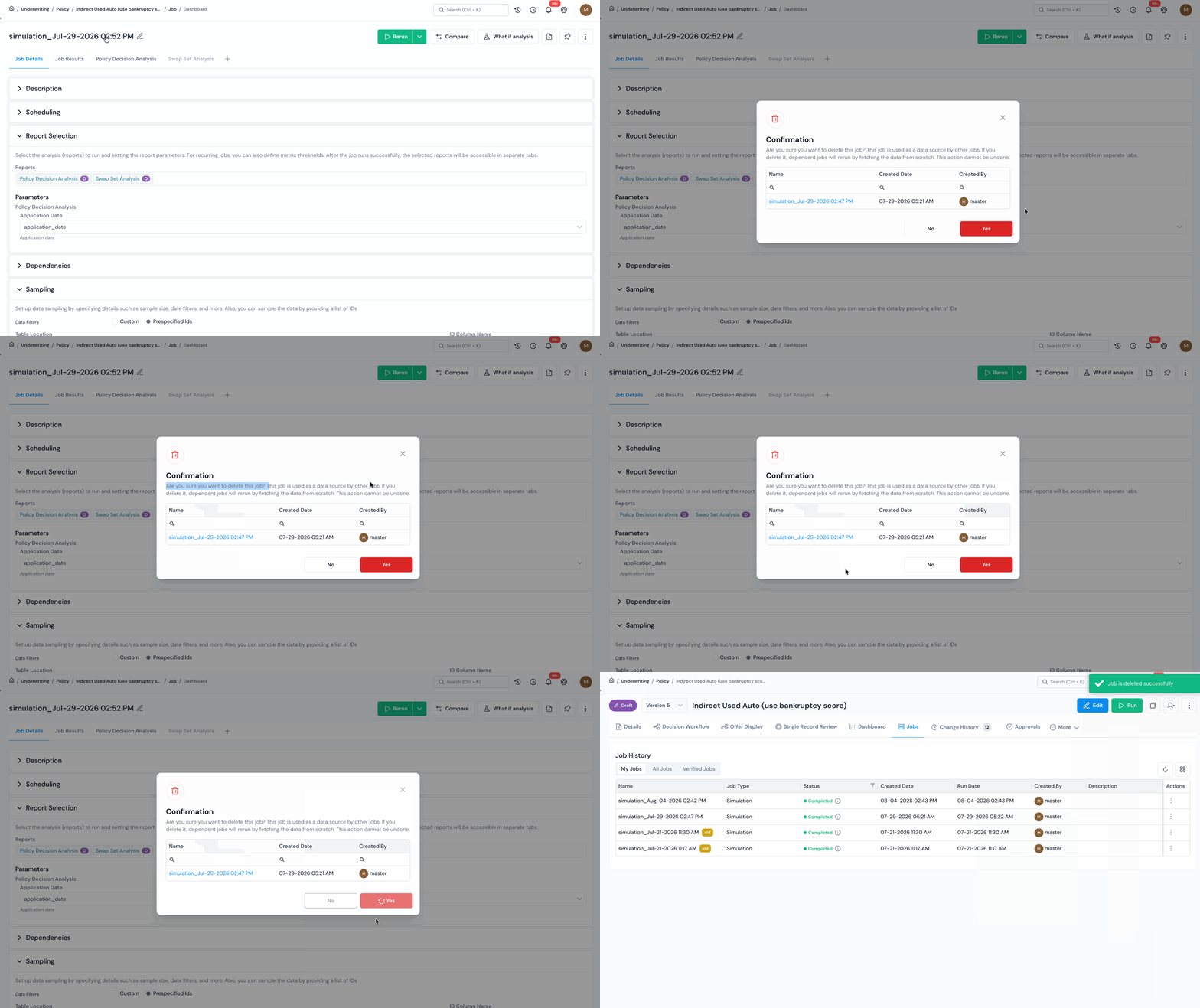
Section titled “2.1 Delete Jobs Used as Source Jobs”You can now delete jobs even when they are used as source jobs by other jobs. Corridor shows the downstream impact before deletion, so you can review dependencies and proceed with clearer context.
What’s New:
- Dependency Warning and Safe Deletion Flow explains when the selected job is used as a source job before deletion, and you can still proceed after reviewing the downstream impact.
- Orphaned Job Handling shows a warning on dependent jobs when the original source job was deleted, and those jobs can still be rerun by fetching data from the source file.
2.2 Side-by-Side Comparison Between Simulation Jobs
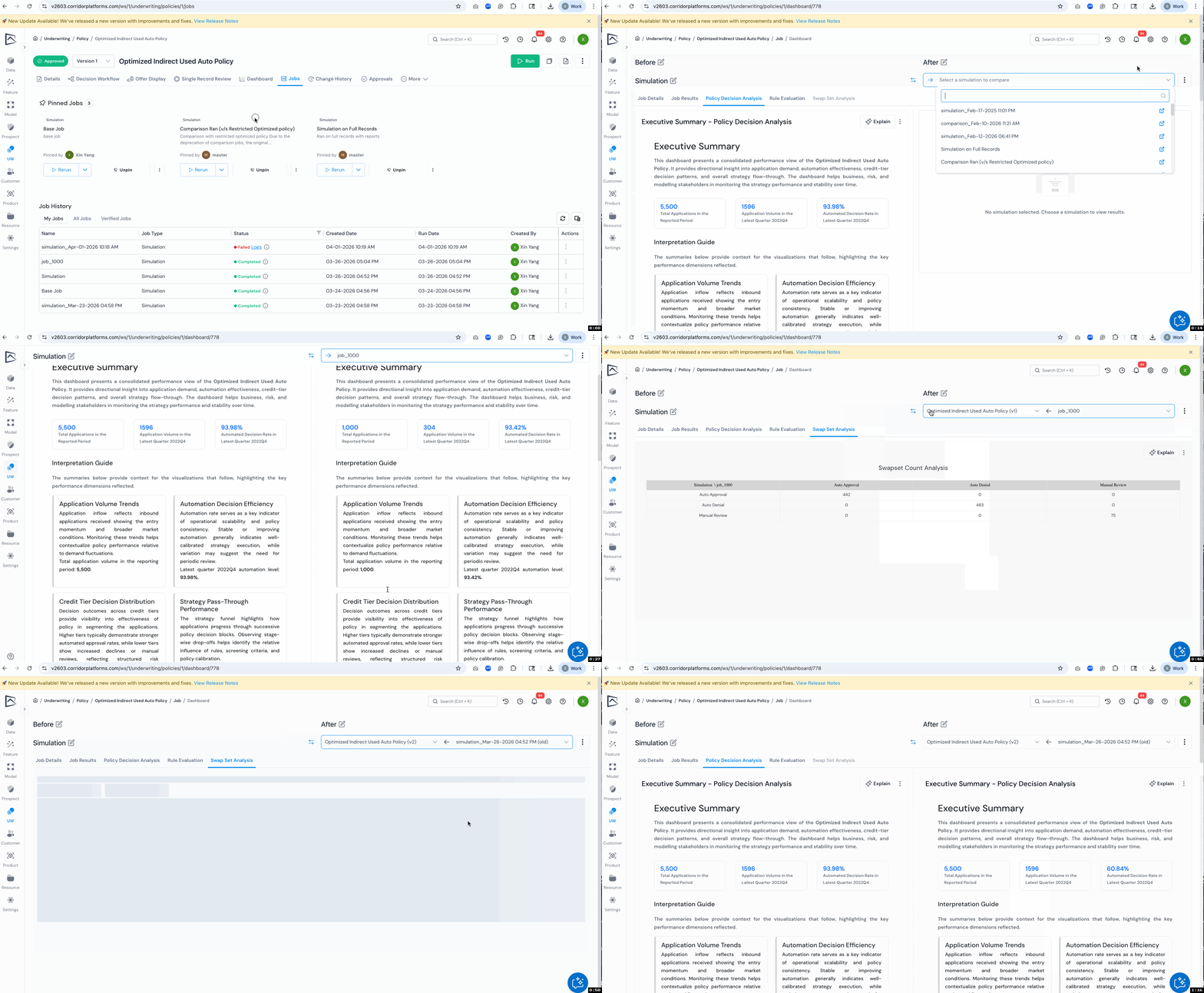
Section titled “2.2 Side-by-Side Comparison Between Simulation Jobs”You can now compare any two completed simulation jobs side by side by choosing the job you want to compare against. This makes it easier to validate changes, understand tradeoffs, and make decisions faster, without running a dedicated comparison or validation job.
What’s New:
- Choose the Jobs You Want to Compare across versions, objects, or samples to answer “what changed?” in one place, instead of recreating a special job run.
- Compare the Full Job in Side-by-Side View with Job Details, Job Results, and Dashboards rendered in a dual-panel layout so differences are easier to spot and discuss.
- No Disruption to Existing Workflows, as legacy comparison and validation entry points guide you toward the new approach so teams can adopt it without confusion.
3. Approval & Monitoring
Section titled “3. Approval & Monitoring”3.1 Customizable Email Alerts for Monitoring Dashboards
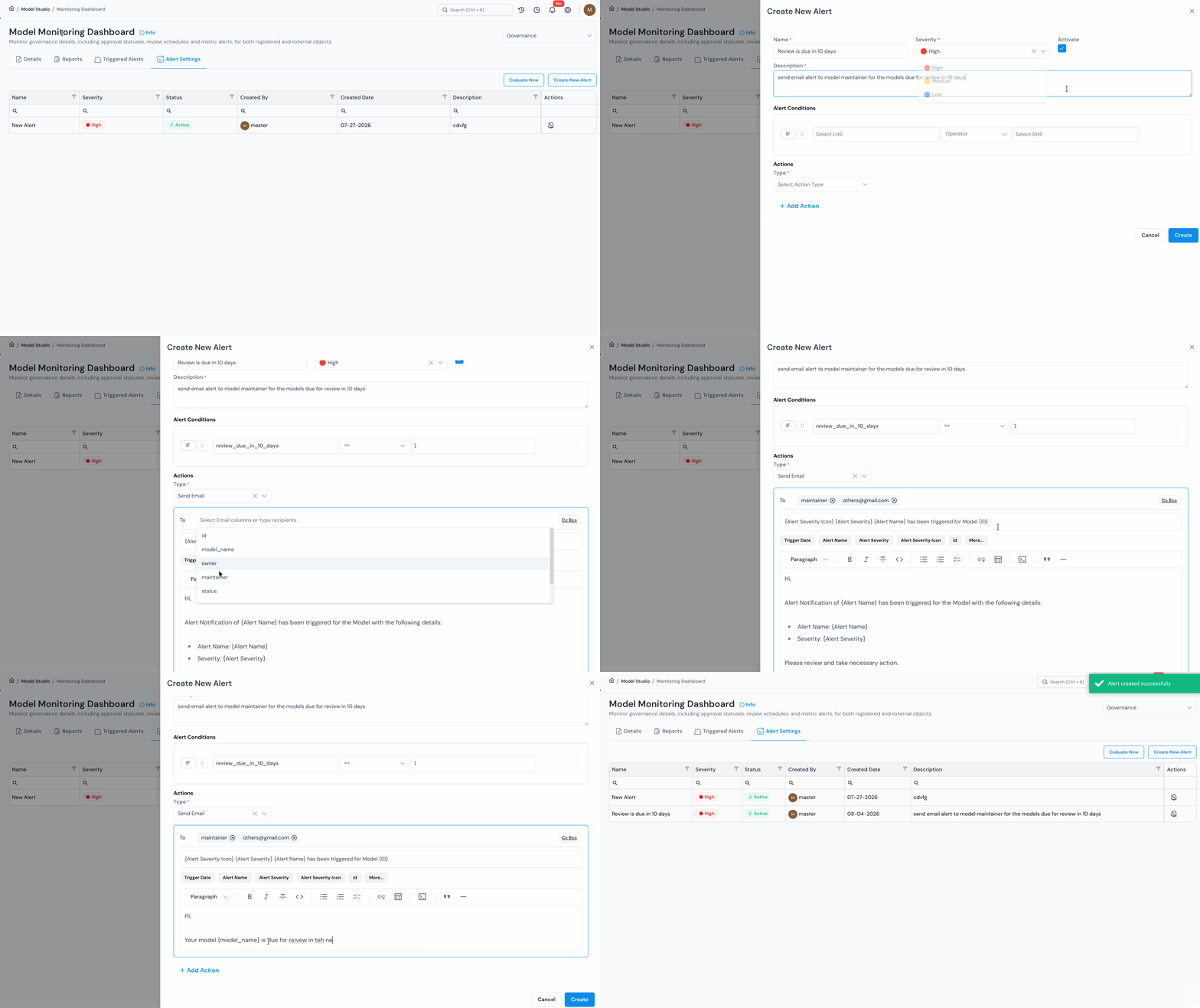
Section titled “3.1 Customizable Email Alerts for Monitoring Dashboards”Monitoring Dashboard email alerts now support customizable content and recipient configuration, making alert setup feel more like sending a standard email.
What’s New:
- To, CC, and BCC let alert emails include primary, copied, and blind-copied recipients.
- Custom Templates let you customize the email subject and body with alert and Monitoring Dashboard variables.
- Severity Icons let alert severity be shown with icons in the subject or body.
4. Object Registration
Section titled “4. Object Registration”4.1 Retire Approved Objects
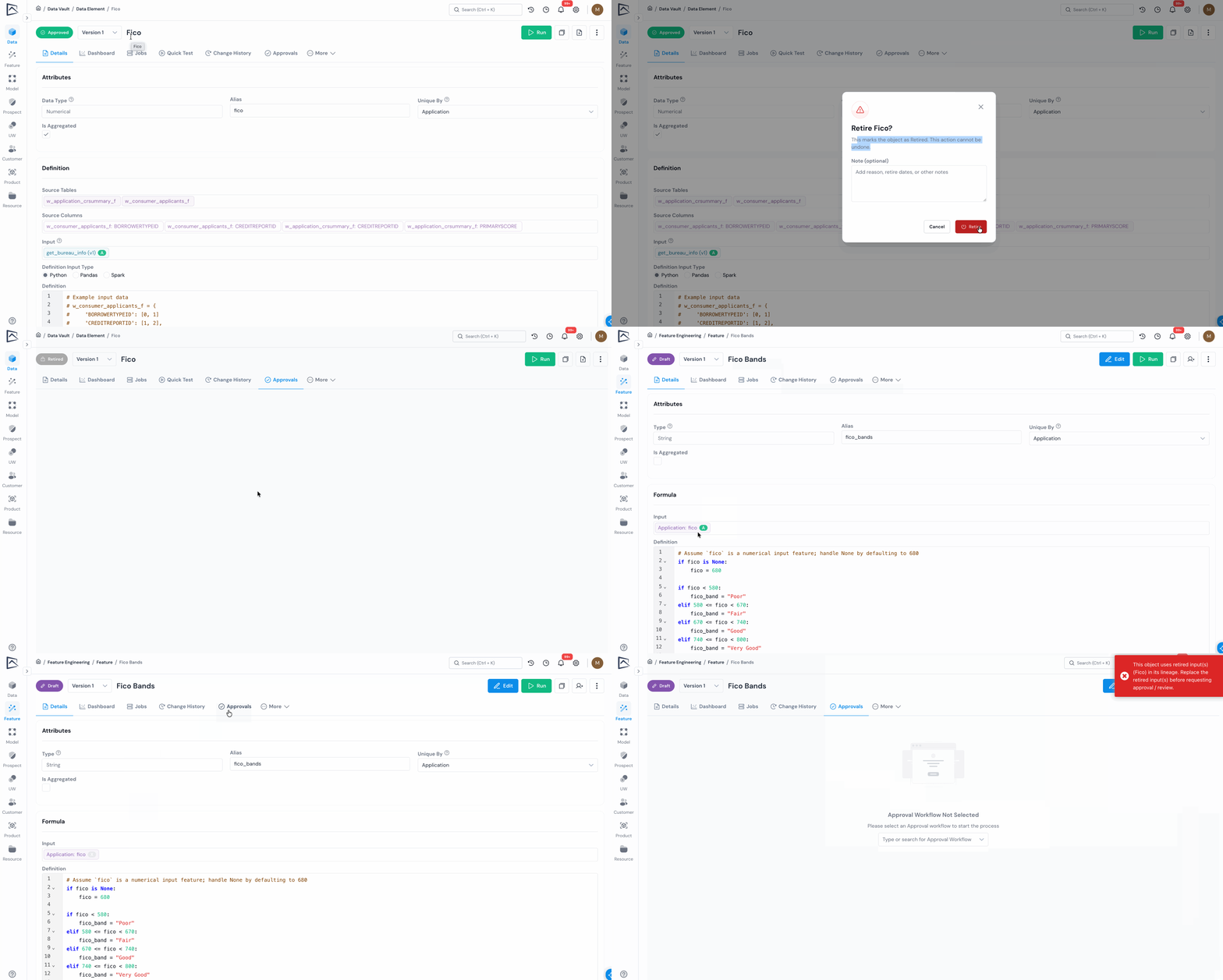
Section titled “4.1 Retire Approved Objects”Approved objects can now be formally retired to support governance and decommissioning workflows.
What’s New:
- Role-Based Permission lets Platform Settings control which roles can retire objects.
- Retire Workflow lets authorized users retire one version or all approved versions of an object.
- Approval Blocking prevents objects using retired inputs from being sent for review or approval until the inputs are replaced.
- Audit Trail records retirement with timestamp, user, status change, and note.
5. Various Usability Improvements
Section titled “5. Various Usability Improvements”5.1 AI Assistance for Debugging and Code Generation
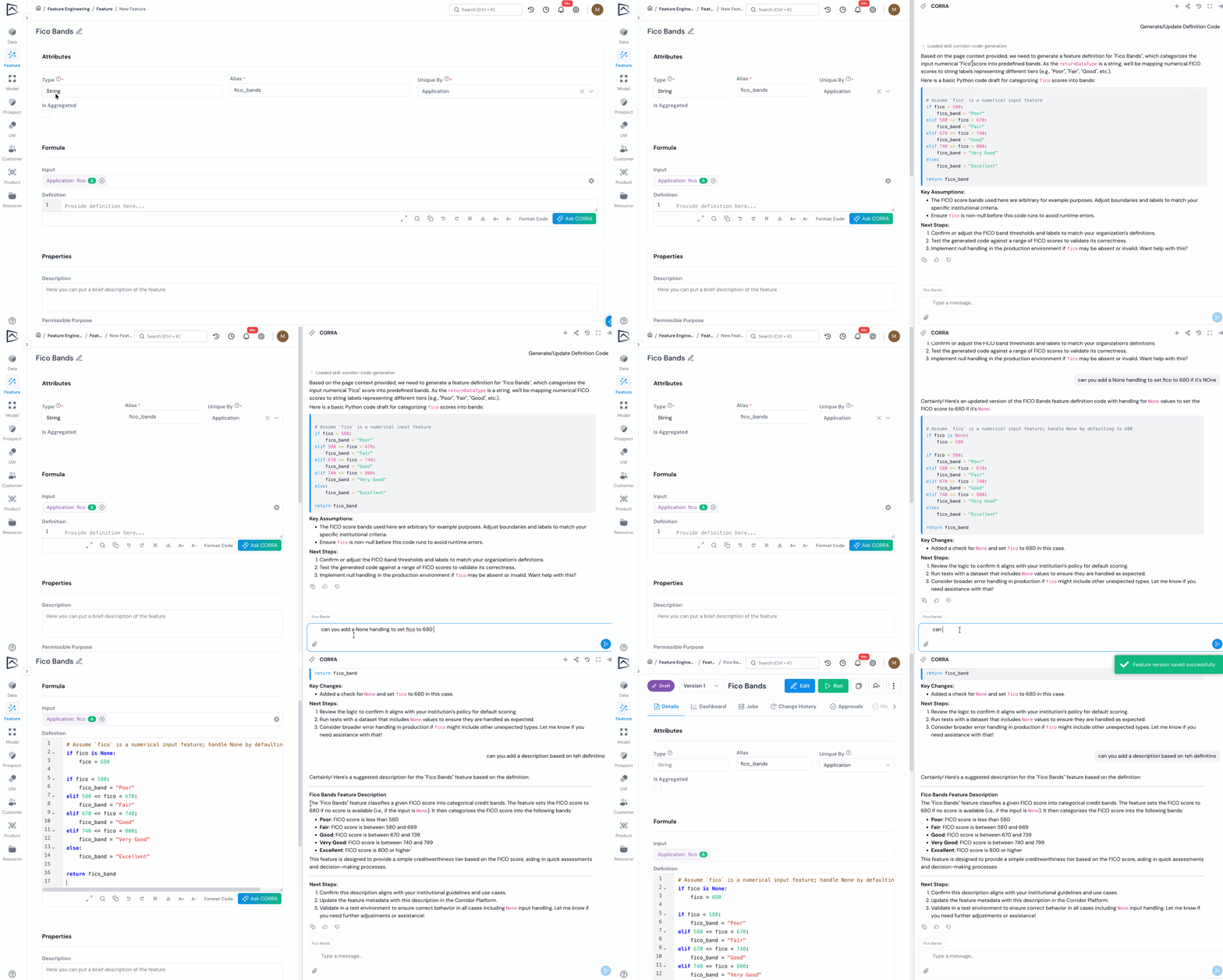
Section titled “5.1 AI Assistance for Debugging and Code Generation”AI-assisted workflows now help you debug platform errors and generate starter code.
What’s New:
- Ask CORRA From Errors lets you send sanitized Python or PySpark errors to CORRA for debugging help.
- Ask CORRA From Definition Boxes adds an Ask CORRA action to supported editors for generating starter code.
- Built-In Object Context means CORRA understands the object context, including available inputs and return expectations, so you do not need to manually include everything in the prompt.
- Configurable Providers lets AI provider options be configured, while users manage their own CORRA login.
5.2 Query Job Result Data With SQL
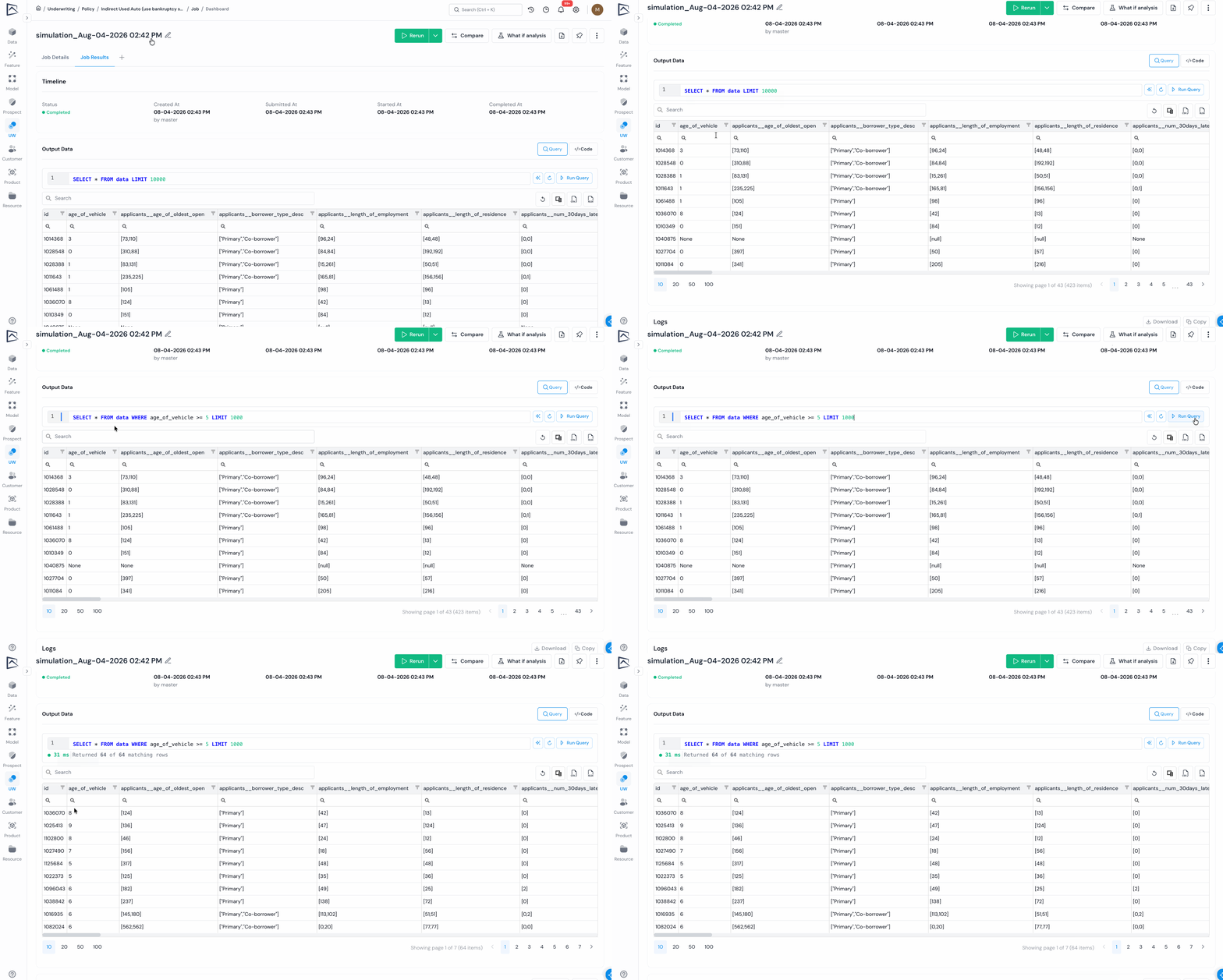
Section titled “5.2 Query Job Result Data With SQL”Job result data now supports read-only SQL exploration, with a default preview query and a SQL editor for querying and reviewing output data directly.
5.3 Search Platform Modules From Global Search
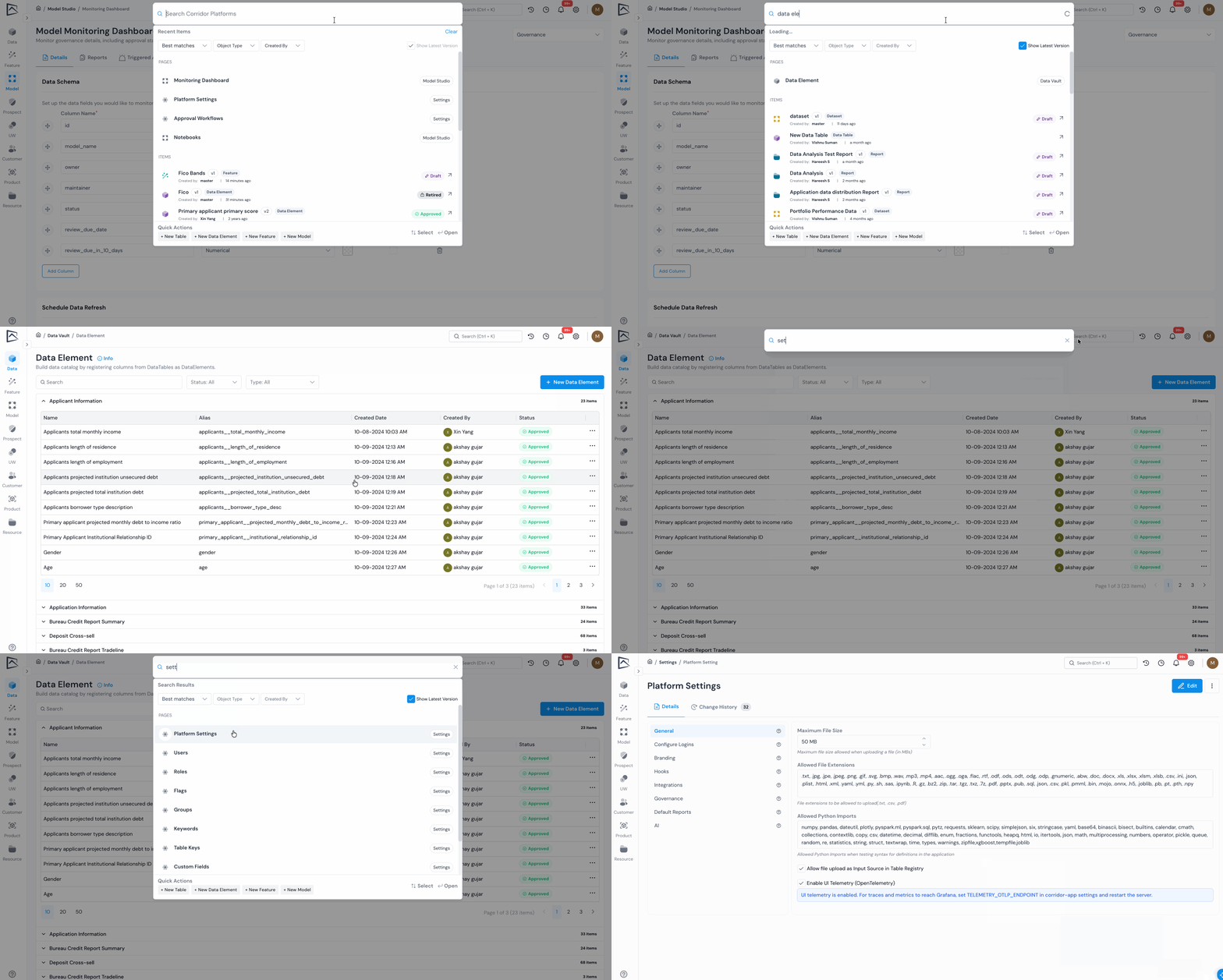
Section titled “5.3 Search Platform Modules From Global Search”Global Search now includes platform modules and sub-modules, so you can quickly find and open pages such as Model, Policy, Reports, Settings, Monitoring Dashboard, and more.
6. Retired Capabilities
Section titled “6. Retired Capabilities”- Dashboard View: Reports can now be selected and run directly, so you no longer need to add reports to a dashboard view first.
- Platform Entity Setup: Corridor no longer requires Platform Entity setup. TableKey now defines the unique level and registration eligibility, making object registration easier to configure and reducing unnecessary setup decisions.
Was this page helpful?
Thanks for the feedback.