

User Guide
Register a Runtime Parameter
Ask AI
Register a Runtime Parameter so one definition can run with a different value each time you run a job.
What is it?
Section titled “What is it?”A Runtime Parameter (often shortened to RTP) is a shared building block registered under Resources. It is a parameter you configure dynamically during analysis.
For example, to define a Feature like “inquiries in the last X months”, set month as a Runtime Parameter inside the Feature definition. When you run a job on the Feature, set month to 6, 12, or any other value, without editing the Feature.
The same applies to thresholds. A Model that reads a min_fico Runtime Parameter shows a field in the job form where you type the cutoff for that run, such as 680. See the dependencies section of Run a Simulation.
Runtime Parameters do not go through an approval workflow and cannot be shared with individual users; see Share an Object.
How to Register
Section titled “How to Register”
Open the Create Form
Section titled “Open the Create Form”
Open the Create Form
Section titled “Open the Create Form”On the Resources → Runtime Parameters page, click + New Runtime Parameter.
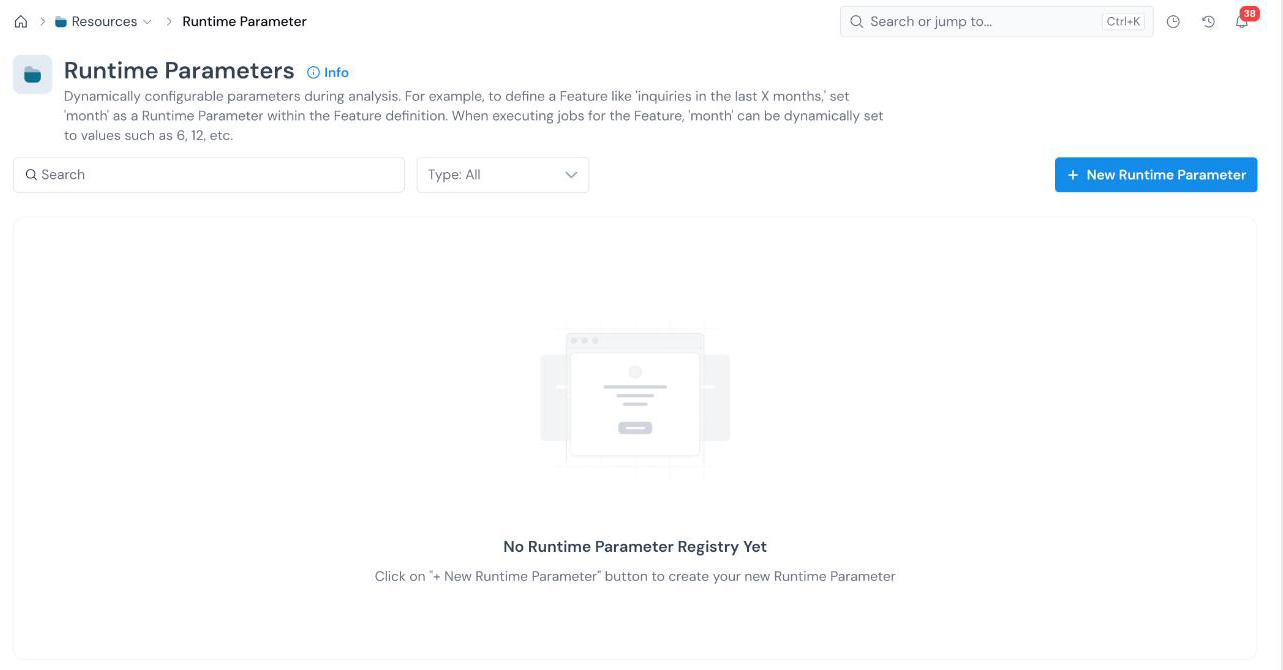
Use the search box and the Type filter to find existing parameters. The form opens with an editable name at the top left (New Runtime Parameter). Click the pencil icon and type a descriptive name.
Set the Type and Alias
Section titled “Set the Type and Alias”
Set the Type and Alias
Section titled “Set the Type and Alias”| Field | What it holds |
|---|---|
| Type Required | The data type of the value. Click the field to pick one: Numerical, String, DateTime, Boolean, Array[..], Map[..,..], or Struct[..]. |
| Alias Required | The name used to refer to the parameter in a definition (for example, month or min_fico). See Common Registration Info. |
Fill in Properties and Create
Section titled “Fill in Properties and Create”
Fill in Properties and Create
Section titled “Fill in Properties and Create”Fill in the Properties : Description * and Group *. Then click Create at the bottom right.
Using it from the Notebook
Section titled “Using it from the Notebook”The Corridor Python package passes Runtime Parameter values by alias when it runs a job:
runtime_params={'default_months': 12}See Use the Notebook.
What’s Next
Section titled “What’s Next”- Run a Simulation to set the parameter value for a run.
- Register a Feature to reference the parameter in a definition.
- Register a Global Variable for a Policy output.
Was this page helpful?
Thanks for the feedback.