

User Guide
Use the Approval Queue
Ask AI
Find every approval request waiting on you in a module from its Approval Queue page.
What is it?
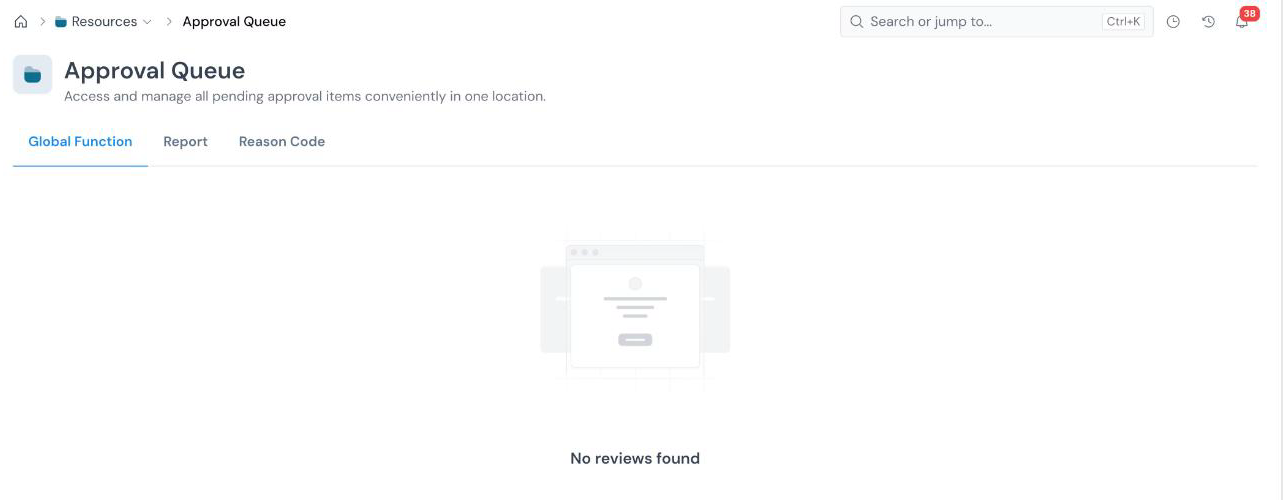
Section titled “What is it?”The Approval Queue gives you one place to access and manage all pending approval items in a module. Each module in the left sidebar has its own queue, and each queue has one tab for each approvable object type in that module:
| Module | Tabs in its Approval Queue |
|---|---|
| Data Vault | Data Element |
| Feature Engineering | Feature |
| Model Studio | Dataset, Model |
| Prospecting, Underwriting, Customer Management | Policy |
| Product Framework | Framework |
| Resources | Global Function, Report, Reason Code |
Object types that do not go through approval, such as Data Tables, Products, Global Variables, and Runtime Parameters, have no tab.
How to use it
Section titled “How to use it”
Open the queue for a module
Section titled “Open the queue for a module”
Open the queue for a module
Section titled “Open the queue for a module”In the left sidebar, expand the module and click Approval Queue. For example, Resources → Approval Queue.
Pick the object type
Section titled “Pick the object type”
Pick the object type
Section titled “Pick the object type”Click the tab for the object type you want to review. A tab with nothing pending shows No reviews found.
Review a request
Section titled “Review a request”
Review a request
Section titled “Review a request”Open a request from the list to review it. The reviewer statuses and what each one means are covered in Approve an Object.
Other places approvals appear
Section titled “Other places approvals appear”- The My work view of the home page has an Approvals panel. See Navigate the Platform.
- Each object’s own Approvals tab shows the requests for that object.
Who can act as a reviewer is controlled by the Approve permission on a role; see Configure Roles and Permissions. The reviewers on a request come from the Approval Workflow for that object type.
What’s Next
Section titled “What’s Next”- Approve an Object for the full request and review flow.
- Configure an Approval Workflow to define who reviews what.
Was this page helpful?
Thanks for the feedback.